


Gametime - Last Minute Tickets
Gametime
If you enjoy going to games, concerts, festivals, or comedy shows but usually decide too late, Gametime is built around that exact habit. I found it most useful when I was flexible about the event, the seat, or the date and wanted to see what was available without spending a long time comparing ticket pages. It is a free events app from Gametime for Android and iOS, focused on finding live-event tickets, particularly when the event is getting close.
The basic idea is easy to understand: open the app, choose an event category or search for something specific, compare the available tickets, and decide whether the remaining options suit you. That sounds simple, but the real value is in how quickly the app helps turn a vague plan into a possible night out. Instead of beginning with a particular ticket seller and browsing a large calendar, I could begin with the kind of event I wanted and narrow the choices from there.
I would not describe it as a complete replacement for every ticket-buying method. It is more appealing for spontaneous plans and last-minute availability than for someone who has already chosen an exact seat months in advance. Still, its strong reception is easy to understand: the app has a 4.8 average from around 85 thousand ratings, and it has passed five million installs. Those figures suggest that many people find the quick-search approach useful, though they do not remove the need to inspect the final ticket details carefully.
Getting from installation to a useful ticket search
What to expect when you open it
Gametime presents itself as an events marketplace rather than a general entertainment guide. The main experience revolves around live sports, music, festivals, and comedy. That focus is helpful because I did not have to work through unrelated recommendations before reaching the events that mattered to me. If I already knew the team, performer, venue, or city, searching directly was the fastest path. If I was simply looking for something to do, browsing by event type made more sense.
The app is free to download, and its content rating is Everyone, which makes it approachable for households where more than one person may be looking for plans. It supports Android 8.0 or later, so anyone using an older device should check compatibility before planning around it. The current version is 2025.32.0, and the app has been available since March 12, 2014. I mention that history because this is not a brand-new experiment; it has had time to develop around the practical problems of buying tickets close to an event.
Related News

Instagram Is No Longer a Photo App. It Is an Attention Engine

Microsoft Teams Mobile: When Collaboration Becomes Navigation

How the NFL App Adapts to Android and iOS Updates

Temu: Elevate Your Shopping Experience to Billionaire Status

Why Traffic Rider Works Best as a Precision Reflex Game

How Google’s Find Hub Transforms Everyday Searches
My first recommendation is to decide what kind of flexibility you have before searching. Are you willing to attend any event tonight, or do you care about one specific artist? Would you accept a seat farther from the action to keep the total reasonable, or is location the priority? Gametime works best when you answer those questions early. Without that small bit of preparation, it is easy to scroll through attractive options that were never suitable for your budget or group.
Setting up without overcomplicating the process
The first setup is not difficult, but I would avoid treating it as a casual browsing session if you are buying for several people. Start by selecting the city or area relevant to your plans, then search for a team, venue, performer, festival, or comedy event. If you are exploring rather than searching by name, use the event categories to reduce the amount of irrelevant information on screen.
Before opening individual listings, I like to establish three filters mentally: the latest acceptable start time, the maximum total I can spend, and the least convenient seat I am willing to accept. That last point is important. A ticket that looks inexpensive can be a poor choice if the view, section, or distance makes the experience unsuitable. The app can help you discover options, but it cannot decide whether a particular seat is worth the compromise for your group.
Gallery
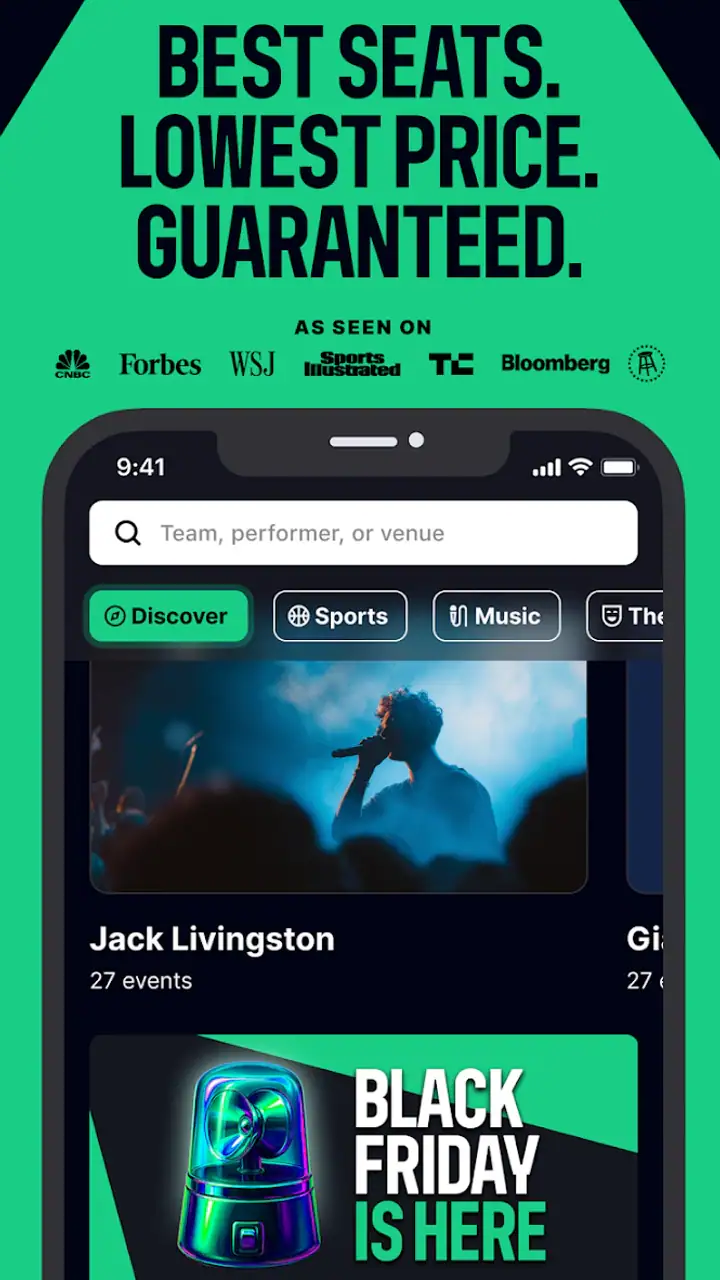
For a first-time user, the safest workflow is to search broadly once and then become more specific. For example, I might begin with concerts in my area, identify the venues that are practical to reach, and only then compare the events listed there. If I start with a performer but ignore travel time, I can end up focusing on a ticket that is technically available but inconvenient in real life.
My first useful tip is to treat the displayed ticket cost as the beginning of the decision, not the end. Continue through the selection process far enough to understand the complete amount and the conditions attached to the listing before telling friends that the plan is confirmed. Last-minute purchases reward speed, but rushing past the final review is exactly how a seemingly good deal becomes disappointing.
Completing the first successful action
The first meaningful success is not merely finding an event. It is finding a listing that fits your schedule, group, seat expectations, and actual spending limit. I would begin with an event that has several possible sections rather than one where only a single obscure option remains. That gives you a better chance to learn how the seating choices are presented and how the total changes as you move between them.
When comparing listings, I pay attention to the difference between a low price and a useful price. If I am attending alone, a less central seat may be a sensible trade-off because I am buying access to the experience. With children, older relatives, or friends who care deeply about the view, I would place more weight on location and ease than on the first low figure I see. This is one area where the app is convenient but not magical: it can surface alternatives, while I still have to judge their practical value.
Once I have selected a ticket, I review the event name, date, time, venue, quantity, and seat information slowly. Last-minute excitement creates avoidable mistakes, especially when a city has multiple venues or when similar events appear close together. I also make sure everyone in the group agrees before completing the purchase. A quick screenshot or saved confirmation can be useful for organizing the evening, but I would rely on the official order details inside the app for the final reference.
A realistic example would be a Friday afternoon when a friend cancels and I want to make a plan for that night. I could open Gametime, search nearby sports or concerts, and compare events that still fit the travel window. Rather than choosing the cheapest available seat immediately, I would first remove events that begin too early, then compare the remaining sections and final totals. The app is at its best in this situation because I am not trying to plan an entire season; I am trying to turn an open evening into a reasonable option.
Where new users can get confused
The phrase “last minute” can create the wrong expectation. It does not mean every event will have a bargain, and it does not mean the best seats will always appear shortly before the start. Availability changes with demand, and a popular event may leave only expensive or less desirable choices. I see the app as a way to inspect late availability efficiently, not as a promise that waiting will always produce a lower cost.
Another point of confusion is the difference between an event being listed and an event being a good fit. A search result may look perfect until you notice the venue, start time, seating area, or distance from home. I recommend opening each promising result instead of relying on the short preview. The extra moment spent checking the details is especially worthwhile when you are buying for a group.
Seat maps can also require patience. A section that appears close on a simplified map may not feel close in the way you imagine, while an upper or side section may be perfectly comfortable for someone who mainly wants to be present. I would not use a map alone to make a high-stakes choice. Consider your reason for attending: a dedicated fan may care about sightlines, while a casual attendee may care more about the atmosphere and total cost.
Do not assume that a ticket is transferable, refundable, or changeable simply because another ticketing service offers those options. The important lesson is to read the terms shown during the purchase flow and retain the confirmation. That is not a criticism unique to this app; it is a necessary habit with digital event tickets generally. Gametime makes discovery quick, but the responsibility for checking the exact transaction remains with me as the buyer.
Three practical ways to use it better
First, use the app for comparison before you use it for commitment. If I am considering a major event, I check several available sections and compare the total value rather than stopping at the first result. This is particularly useful when the group has different priorities. One person may want the lowest possible cost, while another would rather pay more for a better view. Seeing the options together makes that conversation concrete.
Second, separate the event decision from the travel decision. A ticket can be attractive while the venue is impractical for your evening. I check how long it will take to reach the location, whether the start time works, and whether the plan still makes sense if entry takes longer than expected. This workflow prevents the common mistake of treating an available ticket as an available night out.
Third, use flexibility deliberately. If you are open to different performers, teams, or dates, browse several events before deciding. If you are committed to one exact event, search it directly and set a firm limit for seat quality and spending. The app rewards users who know which part of the decision they are willing to compromise on. It is less helpful when every requirement is fixed and the remaining inventory is narrow.
There is also a useful social angle. When friends are undecided, I would send them a short list of realistic choices rather than asking them to browse the entire app independently. Include the event, approximate seat area, start time, and total shown at checkout. That keeps the group conversation focused and reduces the chance that someone agrees to a plan without understanding what kind of ticket is actually being considered.
How it compares with ordinary ticket searches
Compared with visiting a venue website first, Gametime feels more discovery-oriented. A venue’s own sales channel may be preferable when I already know the exact event and want the most direct relationship with that venue. Gametime is more useful when I want to compare multiple live options in one place or when the plan came together late.
Compared with broad search-engine browsing, the app is more focused. A web search can produce official pages, resale listings, venue information, and unrelated results all at once. That can be useful for research, but it also creates more tabs and more opportunities to compare totals inconsistently. Gametime gives me a more concentrated path from event discovery to ticket selection.
Compared with buying well in advance, the trade-off is obvious: waiting can preserve spontaneity and reveal new possibilities, but it can also reduce choice. I would choose advance purchasing when the event is essential, the group is large, or seat location matters greatly. I would choose Gametime when I can accept uncertainty and value speed more than perfect planning.
That distinction helps explain who should skip it. If you need a specific row, require a guaranteed arrangement for a large party, or dislike making decisions close to an event, a conventional early purchase may suit you better. I would also be cautious if you tend to buy impulsively when you see a limited-looking option. The app makes it easy to act quickly, so users who need more time for budgeting should set their limit before browsing.
Who will get the most from the app
I think Gametime is a strong match for people who enjoy spontaneous outings, travelers looking for something happening nearby, and fans who are comfortable weighing several seat options. It is also practical for someone who has an unexpectedly free evening and wants to see whether a live event is realistic without calling multiple box offices or searching many separate pages.
It can work well for couples and small groups because the decision can remain flexible. You can compare the kind of event, timing, and seat quality together instead of committing to the first available listing. For a large group, however, inventory may be harder to coordinate. If everyone needs to sit together, I would search early enough to preserve that choice rather than depending entirely on last-minute availability.
Parents and caregivers should inspect the event details particularly carefully. The Everyone rating describes the app’s general content classification, not the suitability of every concert, comedy performance, or sporting event for every child. I would consider the event itself, the schedule, and the venue environment before purchasing. The app helps find the ticket; it does not replace that judgment.
My final take after using the whole path
Gametime succeeds because it makes an uncertain plan feel manageable. From the first search to the final comparison, the experience is designed for people who want to find a live event without turning ticket research into a project. I especially like it when the goal is “find something good for tonight” rather than “secure one exact seat months from now.”
Its limitations are connected to that strength. Speed can encourage rushed decisions, late availability can be unpredictable, and the most attractive low-cost option may involve a compromise in view, timing, or convenience. I would always review the complete ticket details and total before purchasing, and I would never assume that waiting automatically guarantees a better deal.
For a first-time user, the path is reassuringly concrete: choose your area, search by event or category, decide what you are willing to compromise on, compare the actual listings, and verify every detail before confirming. That process turns the app from a simple browsing tool into a practical way to plan an evening. If you value flexibility more than perfect advance planning, Gametime is worth keeping installed.
Gametime is free, developed by Gametime, and available for users on compatible Android and iOS devices. After trying its event-focused approach, I would recommend it to a friend who likes live experiences but does not always plan ahead. I would pair that recommendation with one honest warning: use the convenience to compare thoughtfully, not as a reason to skip the final checks.
FAQs for Gametime - Last Minute Tickets
What is Gametime and how does it work?
Gametime is a mobile application designed to help users find last-minute tickets for sports events, concerts, and theater shows. The app provides a seamless experience by allowing users to purchase tickets up to 90 minutes after an event has started. It aggregates tickets from various sellers, offering competitive pricing and instant delivery to your mobile device.
Is Gametime safe and reliable for purchasing tickets?
Yes, Gametime is considered safe and reliable for purchasing tickets. The app employs a secure payment system and offers a Gametime Guarantee, ensuring that your tickets are valid and delivered on time. In case of any issues, their customer support is available to assist, providing peace of mind for buyers.
How does Gametime offer last-minute deals?
Gametime partners with ticket resellers and event organizers to provide unsold tickets at discounted rates. The app uses real-time data to adjust prices dynamically, often offering significant savings for last-minute buyers. This model helps both event organizers fill seats and users find affordable tickets close to event times.
Are there any additional fees when purchasing tickets on Gametime?
While Gametime aims to provide transparent pricing, there may be additional service fees included at checkout. These fees cover the cost of processing and delivering the tickets. To avoid surprises, it’s advisable to review the total cost before finalizing your purchase, ensuring clarity on the final price you’ll pay.
What should I do if I encounter an issue with my tickets?
If you experience any problems with your tickets, such as invalid tickets or issues with delivery, you should contact Gametime’s customer support immediately. The app offers a 100% Gametime Guarantee, and their support team is available to resolve issues quickly, ensuring you can enjoy your event with confidence.
Pros
- Easy to navigate interface.
- Instant ticket delivery.
- Secure payment options.
- Exclusive last-minute deals.
- Supports multiple event types.
Cons
- Service fees can be high.
- Limited refund options.
- No option for seat selection.
- Occasional app crashes.
- Limited customer support hours.


